My Blinkies :)



Creative Fabrica

Creative Teams









Artists and Store I like

















Jan 13, 2013
Sweet Love
A new time line banner tutorial...
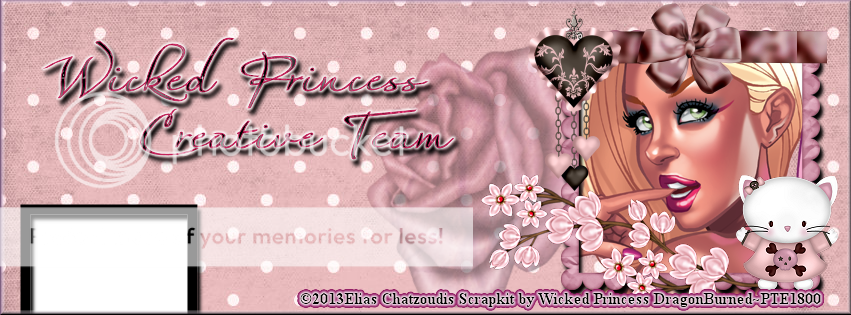
Written by LadyDragus on January 13 2013
This is written in PSP 9 but should work in any version...
I'm using a PTU Scrap kit by Wicked Princess she sells at many differnt stores
You can find them all on her blog here Wicked Princess Scraps
I'm using the PTU artwork of Elias Chatzoudis I got this tube while he was at PTE
You can now buy all his artwork here Elias Chatzoudis PSP Tubes
Open a 851x315 size banner
Open Spawns Time line banner Template
You can download this exact Template
by this link here Spawns Forum Set Template
Use Shfit+D to make a copy of the template
I"m deleting the cover border form the template only using the background part of the template
In the part where there is a square i'm using my preset shape rectangle and drawing a square on it so we don't put anything in that spot as it's where your avie will show up on the time line...
Now take the background and flood fill with paper..
Open the Scalloped Frame c/p as a new layer on the right hand side of your time line banner,
Re-size by 45% and add a default drop shadow to the frame
This is what i use for my default on all my tags
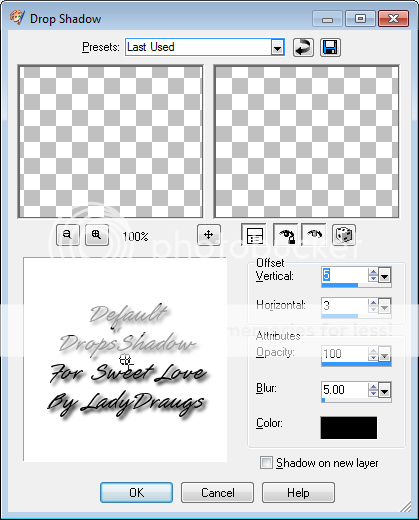
open Bow Sash c/p re-size by 30% pull it to the top of the frame...
open Hear Dangle c/p re-size by 30% and pull it to the left hand side of bow..
open rose c/p as a new layer above the background layer using your opciaty make it 55% re-size by 75% and pull it to the edge of the frame, where the steam is behind the frame, then rotate it to the left by 25% which is a freehand rotate, then clean off the steam so it can't be seen...
Go to the top layer of your time line banner,
open Emokitty re-size by 25% and pull it to the right hand side of the frame...
Click on your frame and c/p flower vine and re-size it by 45% and pull it just behind the kitten, then rotate it 45 ° to the left of the frame...
Now to add your tube. The tube i'm using has a bigger close up and a smaller full size image of the fairy
Takeing the big close up paste it behind your frame as a new layer, using your selection tool cut out the face behind the frame, then delete the rest of the tube..
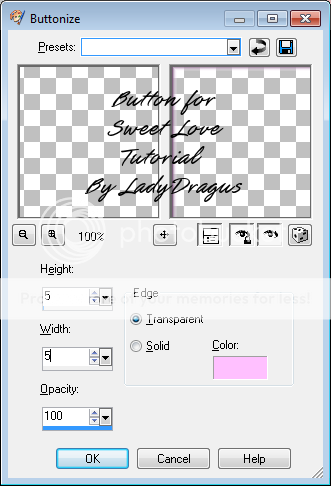
Make a top new layer and using the setting below add a buttonize frame
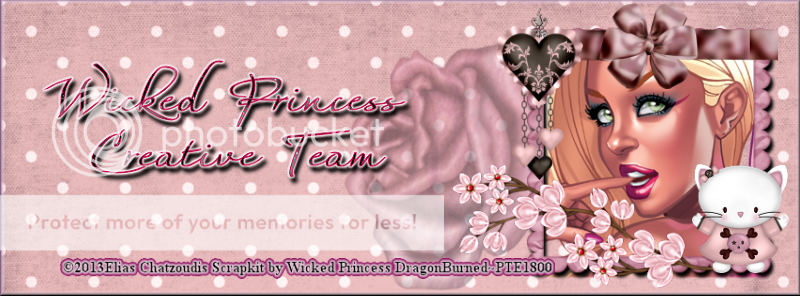
Always make sure you add the proper credit for a Time line banner since Facebook does not allow website links make sure you look over the TOU's for the tube you are using
I"m also including a banner only with out the avatar hole.. I did not make an avatar as each person would want something different on her/his time line banner

Subscribe to:
Post Comments
(Atom)
Kit Match For


Stores I Sell At


Blog Trains for HODG






Forums


Blogs I follow


.gif)



















0 comments:
Post a Comment
Thank you for reading my tutorials and snagging my snags. I design under House of Dragus Graphics by LadyDragus