My Blinkies :)



Creative Fabrica

Creative Teams






Artists and Store I like


















I am using a beautiful kit
By Wicked Princess Scraps
Called Black Rose, I am also using the tube that match's the kit



Goddess of Crows


This tutorial is written in Corel 2023, but any version should work, this is written in hopes you have working knowledge of Paint Shop Pro or other graphics program… this is written by me, never meant to copy or look like your work…
I am using a PTU kit
By Wicked Princess Scraps
Called Goddess of Crows

You can find the kit
I am also using the matching tube
By Trinita
Called Lady Crow

Here Lady Crow
This is a time line banner tutorial
820x360 for the banner 300x300 for the avatar
we will also work on the avie as we go
Flood fill both tags with paper 11
Banner-
60 c/p size this down by 50% pull to the upper right top of the banner
87 c/p size this down by 50% pull to the far left edge of the banner
25 c/p size this down by 38% pull to sit in front of the black rocks on left edge of your banner
9 c/p size this down by 50% leave in the middle of the banner
164 c/p pull behind the bridge size it down by 65% pull so it looks like it goes under the bridge
51 c/p size this down by 48% pull to stand on the left edge of the bridge, where the smaller part is still on the left top of the banner
Take the full sized version of the tube w/ two crows on her hands size her down by 14% pull to the middle of the bridge
49 c/p size this down by 50% pull to the right edge of the banner
46 c/p size this down by 19% pull to sit on right edge of the bridge by the castle
62 c/p size this down by 19% pull to sit on right edge of tree
69 c/p size this down by 19% pull to stand on the right side of the tubes dress
61 c/p size this down by 19% pull so it is between the crows on the rock and the staff
57 c/p size this down by 11% pull to sit in top branch of the trees
63 c/p size this down by 21% pull to sit on the left side of the tree
99 c/p size this down by 11% pull to sit on left edge of the tube
58 c/p size this down by 12% pull to sit on left edge of the melting egg
162 c/p mirror size this down by 12% pull to sit on left edge of the kitten
54 c/p size this down by 12% pull to sit on the rose’s on left edge of your banner
Avatar
Take the bridge and paste as a new layer, 3
then take the sized down version of the tube
The melting egg paste as a new layer on the right side of the tube
Add a new layer for the copyright and credit to kit maker, add your saying to this avtar and the banner and you’re done…
Thank you for reading my tutorial
©LadyDragus~2024
Tags for kit maker


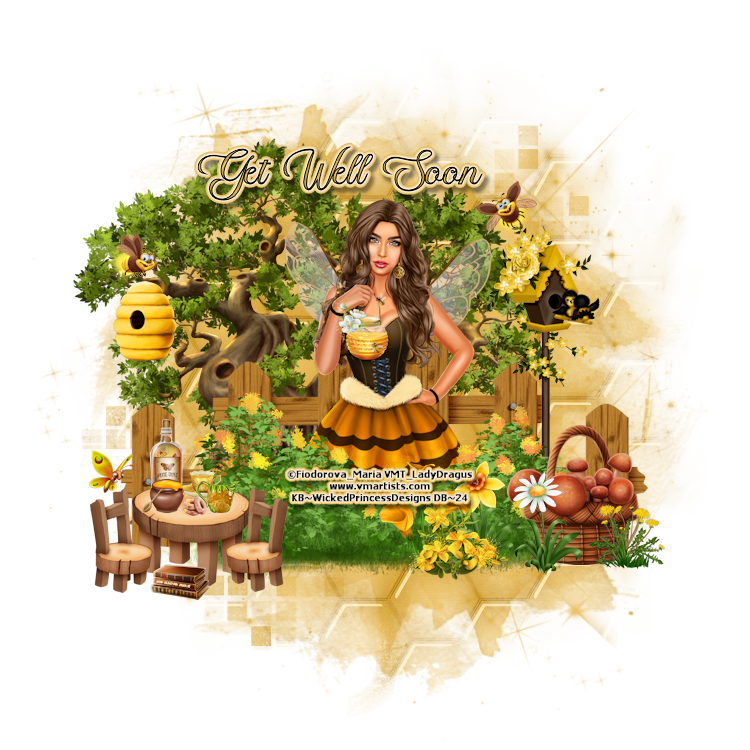
My Honey Bee

This tutorial is written in Corel 2021, but any version should work, this is written in hopes you have working knowledge of Paint Shop Pro or other graphics program… this is written by me, never meant to copy or look like your work…
I am using a PTU kit
By Wicked Princess
Scraps
Called My Sweet Honey Bee

You can the kit
This match’s a tube
By Maria Fiodorova

You can find the tube
Rachel mask 855
Here Rachel Designs
Open a 750x750 (size down at the end)
Fence c/p size this down by 64%
Tree 2 c/p size this down by 66% pull behind the left edge of the fence
Click on top most layer of the tag
Hive2 c/p size this down by 15% pull to hang on the left side of the tree
Bee 2 c/p size this down by 9% pull to fly above the hive
Birdhouse 2 c/p size this down by 50% pull to the right on the fence
Take the tube we are using, make sure to get her wings, c/p size her down by 24% pull to the middle of the fence
Bee 5 c/p size this down by 10% pull to fly over the birdhouse
Shrub1 c/p size this down by 45% pull to the bottom of the tube we are using
Table c/p size this down by 21%, pull to the left edge of the shrub
Bottle c/p size this down by 11% pull to sit on left top of the table
Cup 1 c/p size this down by 7% pull to sit on right side of the bottle
Pot 2 c/p size this down by 7% pull to sit in front of bottle
Creamer c/p mirror size this down by 7% pull to sit on right edge of the table
Basket 2 c/p size this down by 35% pull to the far right edge of your tag
Flower 10 c/p size this down by 15% pull to sit on left of the basket
Chair c/p size this down by 15% pull the 1st copy to the right side of the table, take that copy paste mirror for the 2nd to be on the left side of the table
Book 2 c/p size this down by 8% pull to sit in front of the table and chairs
Donut c/p size this down by 5% pull to sit in the middle of post and creamer
Butterfly 2 c/p size this down by 10% make him fly over the chair on left side of table
Flower 7 c/p size this down by 15% pull to the left of the flower 10
Flower 22 c/p size this down by 15% pull to sit in front of other flowers
Flower 9 c/p size this down by 15% pull to sit in front of basket of mushrooms
Flower 19 c/p size this down by 10% pull to sit on right of basket of mushrooms
Click on bottom layer of your tag flood fill with paper7 apply mask from above, merge into one group layer, then click on top most layer of the tag
Add a new raster layer to the finished tag for the copyright’s and credit to kit maker, make sure you put a saying on the tag and you’re done…
Thank you for reading my tutorial
©LadyDragus~2024
Tag for kit maker and a Get well Snag



Guardian’s of Earth

This tutorial is written in Corel 2021, but any
version should work, this is written in hopes you have working knowledge of Paint Shop Pro or other
graphics program… this is written by me, never meant to copy or look like your
work…
I am using a PTU kit
By Wicked Princess Scraps
Called

This is exclusive to her store
Here Wicked Princess Scraps Store
I am also using the Matching tube
By Alehandra Vanhek

You can find this here
Dfly mask 0069
Here
Font 101 Star lit night
Open a 750x750
Frame 2 c/p size down by 75%
Moon c/p pull behind the frame mirror, size it down by
75%
Take the tube we are using, paste her size her down by
45%, duplicate the frame under her, then pull it on top, clean off any that is
over the top of the tube and any that show’s outside of the frame
Door 1 c/p mirror size this down by 70% pull to the
left edge of your tag
Lamp c/p size this down by 45% pull to the left edge
of the door
Well c/p mirror size this down by 65% pull to the far
right edge of your tag
Cluster 1 c/p size down by 45% pull to sit on lower
left of door
Potion c/p size this down by 25% pull to sit on left
of cluster 1
Bottle 1 c/p size this down by 25% pull to sit on left
of purple flower box
Flower 1 c/p size down b 40% pull to sit on left of
potion
Cup c/p, then size this down by 25% pull to the left of potion
Teapot c/p size down by 25% mirror sit beside cup
Ball 2 c/p size this down by 25% pull to the far left
edge of your tag
Click on bottom of your tag, this is were you can size
the whole tag down to what ever size you need
Flood fill with background 10,apply mask from above,
then merge into one layer
Click on top most layer of your tag add a new raster
layer for the copyrights and credit to the kit maker, and LIC information…
Thank you for reading my tutorial
©LadyDragus~ August 2021
Tube for artist and kit maker


I got the privlage to work with a kit
by Wicked Princess Scraps
Called A Pirates Life
I made her a 3 piece set and a free wallpaper
And a Timeline and matching Avie


You can find the wallpaper
Here 2021 Wallpapers
if you snag plz send others to my blog to downlaod
Kit Match For


Stores I Sell At


Blog Trains for HODG





Forums


Blogs I follow


.gif)


















