My Blinkies :)



Creative Fabrica

Creative Teams







Artists and Store I like


















Purple Dragons

This tutorial is written in Corel 2021, but any version should work, this is written in hopes you have working knowledge of Paint Shop Pro or other graphics program… this is written by me, never meant to copy or look like your work…
I am using a PTU scrapkit
By Wicked Diabla Designs
IB-NeneThomas 29-3

Here IB-NeneThomas 29-3
I am using a stunning tube
By Sarah Richter 6-3

Here Sarah Richter 6-3
Rachel mask 855
Open a 750x750
Frame 2 c/p size this down by 50%
Take the layer titled Fairy c/p size her down by 55% pull to upper right of the frame
E5 c/p mirror size this down by 75% this till cover up the tree that the tube is sitting on
Take raster 3 of the tube (bluish-purple dragon) c/p mirror size it down by 40% pull to sit on top most branch on the dead tree
E3 c/p mirror size this down by 50% pull to the far right edge of the frame
E9 c/p size this down by 40% pull to sit in front of the cross
E1 c/p size this down by 24% pull to sit on right edge of the cross
22 c/p size this down by 35% pull to sit on left edge of the log
E8 c/p size this down by 40% pull to the far left edge of the frame
E23 c/p size this down by 45% pull to hang on the left top edge of the frame
E24 c/p size this down by 25% pull to sit in front of tombstone and purple crystal
E14 c/p size this down by 15% pull to sit on right top of the cross
E12 c/p size this down by 35% pull to sit in front of the log
E18 c/p size this down by 22% pull to sit on left of purple bottle
E17 c/p size this down by 15% pull to sit in front of the purple crystal
E21 c/p this 2 times then merge it into one raster layer
Click on bottom layer of your tag
Size your canvas size down to 700x700
Open paper 7 flood fill the bottom layer then apply the mask from above, merge into one raster layer
Click on top most layer of your tag add a new raster layer , for the credits and copyright information, add a name to the tag and you’re done..
Thank you for reading my tutorial
©LadyDragus~ 2023
Tag for kit maker & mask maker



Melissa Dawn 20-2 IB kit


Honored Scraps Part of the CDO Steam collab

Kits at CDO Honored Scraps
I made 1 snag and a wallpaper with this kit

Here are the snags


Queen Show off tags


Here ScrapHonored_IB Cuddly Rigor Mortis BT


White Fye

This tutorial is written in Corel X5, but any version
should work, this is written in hopes you have
working knowledge of Paint Shop Pro or other graphics program… this is
written by me, never meant to copy or look like your work…
I am using a PTU kit
By Honored Scraps
Scrap Anna Liwanag 119-1

Here CDO~Inspired by kits
This kit Scraphonored_IB-AnnaLiwanag 119-1
I am also using the matching tube for this kit

You can find it
Here Anna Liwanag Tube
Open 725x725
Frame 1 c/p size it down by 55%
E09 c/p rotate 25° to the right then pull
it up to the left top corner, duplicate it so it’s just a bit darker
Take your tube paste the color you wish to use, size
down by 34% pull to the middle of the frame, Duplicate your frame pull the 2nd
copy above the tube, but clean off the top part of the frame that is on top of
her hands and wand
E16 c/p size the fog down by 80% pull to cover up the
bottom part of tube/frame
E23 c/p mirror size down by 55% pull so it is laying
on top of her left hand
E21 c/p rotate 90° to the right pull so the bottom
right of string is on the lowest side of the frame
E06 c/p size down by 55% pull to the lower left of the
tag
E20 c/p size down by 40% pull to the right of cake
E07 c/p mirror size the kitten down by 40% pull to sit
on top of pillow
E10 c/p size the flower down by 40% pull to the left
of cat
E24 c/p size down by 30% pull to sit on right of white
flower
E4 c/p size down by 50% add this drop shadow
Vertical 5
Horziontal -5
Opacity 75
Blur 5
Color black
E13 c/p size down by 50% pull to the far left edge of
your tag
Click on bottom layer of your tag using your rectangle
tool open paper 4 draw a rectangle to match the frame, convert that to a raster
layer
Click on the top most raster layer add a new layer for
the copyrights and credit to kit maker, Make sure you have a valid License for
this tube from CDO
Add a saying to
the tag and you’re done
©LadyDragus~ 2020


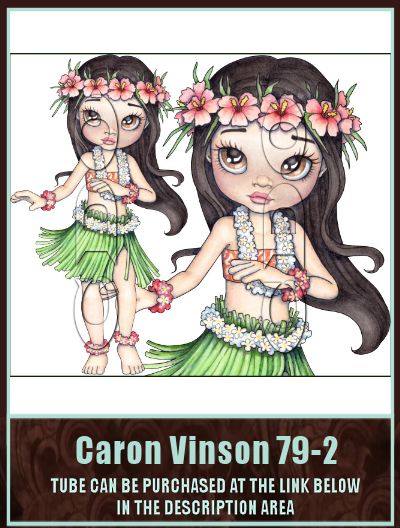
Here ScrapCrys_IB=CaronVinson-79-2




Kit Match For


Stores I Sell At


Blog Trains for HODG






Forums


Blogs I follow


.gif)


















