My Blinkies :)



Creative Fabrica

Creative Teams








Artists and Store I like

















Dreams and Dragons

This tutorial is written in Corel 2023, but any version should work, this is written in hopes you have working knowledge of Paint Shop Pro or other graphics program… this is written by me, never meant to copy or look like your work…

From Pics for designs this is an exclusive tube

These are higher than normal tubes Princess and Dragon
I am using a mask by Bitzy beez Desigz
Mask 39

Drop shadow
Vertical 5
Horizontal 3
Opacity 65
Blur 5
Color black (or dark color)
Open a 725x725 size tag
Frame 1 c/p size this down by 35%
10 c/p size this down by 55% pull to the lower left of the frame
2 c/p size this down by 70% pull to the far right of the frame
6 c/p size this down by 55% pull to the right of the tree, this will cover up some of the tower
Take the standing tube we are using c/p size her down by 35% pull to stand by the tree and bridge
36 c/p size this down by 22% pull to sit in front of the tree
19 c/p size this down by 22% pull to sit in front of the tube
38 c/p size this down by 22% pull to sit on right of other treasurer chest
15 c/p size this down by 22% pull to sit left edge of the bridge
34 c/p size this down by 22% pull to sit on right of the basket with the dragon
1 c/p size this down by 22% pull to the far left edge of the tag
117 c/p size this down by 22% pull to the upper right by the top of the tower then add the drop shadow from above
109 c/p size this down by 15% pull to sit on top branch on the tree
108 c/p size this down by 14% pull to sit on right edge of the castle
118 c/p leave as it falls on the tag
Click on bottom layer of your tag
Open paper3 then flood fill bottom layer, apply mask from above, merge this into one layer then i added a slight sharpen to the layer
CLick back on the top most layer of your tag add a new raster layer for the copyright’s and credit to the kit maker and artist , remember this store does not allow blank tags, so make sure you add a name or saying to the tag.
Thank you for reading my tutorial
©LadyDragus~2026

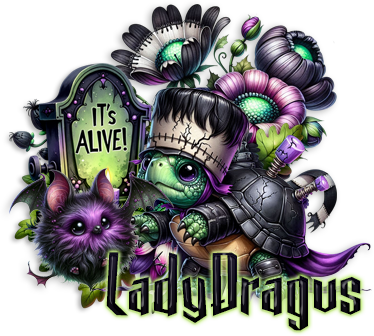
Bats and Moths

This tutorial is written in Corel 2023, but any version should work. This is written in hopes you have working knowledge of Paint Shop Pro or other graphics program… this is written by me, never meant to copy or look like your work…
I am working with a PTU kit
By Happy Pumpkin Studio
Called Bats and Moths

You can find this kit
Here HPS~Bat's and Moths
I am using a PTU tube
By Verymany

Called Wynifred
You can find this tube
Here https://verymanytubes.com/search/?q=Wynifred
Open a 750x750
Drop Shadow (DS)
Vertical 5
Horizontal 3
Opacity 77
Blur 5
Color black
I am using Babe’s Desigz mask 39
I can not find her blog anywhere so if you wish use something else go ahead
Open a 750x750 size tag you can size it down at the end
Frame 8 c/p size this down by 49%
46 c/p mirror size this down by 18% pull to the upper right top of the frame
Take the close up of the tube we are using c/p size her down by 35% pull to it is in the middle of the frame
135 c/p size this down by 30% rotate 45° to the right then put so it looks like it is growing on the very edge of the frame
88 c/p size this down by 25% pull to sit on top of the vine
39 c/p size this down by 18% pull to sit on the left edge of the ivy and flower
35 c/p size this down by 22& pull to sit on left edge of the frame
37 c/p size this down by 25% pull to sit on the far right edge of the frame
64 c/p size this down by 11% pull to sit on the book by the candle
22 c/p mirror size this down by 15% pull to the upper left above the leaves and flowers on top of the frame
45 c/p size this down by 15% pull to sit in the middle of the frame
34 c/p size this down by 10% pull to the left edge of the tag
3 c/p size this down by 10% pull to sit in front of the bat, on the stack of books with the glass dome
78 c/p size this down by 16% pull to the upper middle top of the tag
13 c/p size this down by 18% pull to sit under the ladybug
93 c/p size this down by 16% pull to sit on far right edge of the box with the candle
77 c/p size this down by 8% pull so it is flying on the very left edge of the moon add the (DS) from above
125 c/p size this down by 8% pull to hang on the bottom of the moon Add the DS from above
Click on bottom layer of your tag
Open Paper 20 size this down to fit the canvas, then apply a mask of choice
Merge this layer into one group raster
Click on top most layer of your tag add a new raster layer for the copyrights and credit for the kit, add a saying to the tag and you’re done…
Thank you for reading my tutorial
©LadyDragus~2026
If you wanted to make an avie I made mine 200x200 took the mask layer and pasted it then I used the fox as the only element on the avatar …


Kit Match For


Stores I Sell At


Blog Trains for HODG






Forums


Blogs I follow