My Blinkies :)


Creative Fabrica

Creative Teams







Artists and Store I like














Gamer

This tutorial is written in Corel 2023, but any version should work, this is written in hopes you have working knowledge of Paint Shop Pro or other graphics program… this is written by me, never meant to copy or look like your work…
I am working with a PTU kit
By Dran Designs I am using the matching tube that comes with the kit

You can get this kit
Here The Gamer
Mask10 by Scrappy bit of fun
*this is a big download area and the one I am using is on the top download*
Here Mass Mask Download
Open a 750x750 size tag (you can size down at the end)
Frame 1 c/p size this down by 39%
37 c/p size this down by 70% pull to the top of the frame
8 c/p size this down by 28% pull to the far left edge of the frame
Take the tube that comes in the kit paste it then size it down by 29% pull to sit at the bottom middle of the frame
17 c/p size this down by 14% pull to sit in front of the tubes feet
39 c/p size this down by 11% pull to sit on far right edge of the tube
53 c/p size this down by 13% pull to the upper left edge of the frame
52 c/p size this down by 13% pull to sit on arm of the chair
51 c/p size this down by 13% mirror then pull to sit on top of the game console part of the tube
50 c/p size this down by 13% pull to sit on right of the mushroom
49 c/p size this down by 11% pull to the upper right part of the tag
4 c/p size this down by 15% pull to the middle of the tag
16 c/p size this down by 11% pull to sit on left edge of the frog
11 c/p size this down by 11% pull to sit on right edge of game console
56 c/p size this down by 11% pull to the upper left of the tag under the ghost
2 c/p size this down by 8% pull to sit on left edge of the keyboard
32 c/p size this down by 8% pull to sit in between the CD case and the controller
34 c/p size this down by 8% pull to sit on the right edge of the keyboard
12 c/p size this down by 8% pull to sit on far left edge of the tag
19 c/p size this down by 10% pull to sit on right edge of the controller
Click on bottom layer of your tag,
Flood fill with paper 2 apply mask from above merge into a raster layer
open paper 5 using your rectangle tool draw a square behind the frame, remember to convert this to a raster layer
Click on top most layer of your tag, add a new raster for the copyright’s and credit to the kit maker/tube maker, add a saying to the tag and you’re done…
Thank you for reading my tutorial
©LadyDragus~26
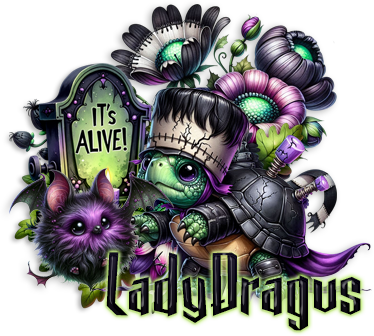
Tag for kit maker, AI tube maker and mask maker


Kit Match For


Stores I Sell At


Blog Trains for HODG






Forums

Blogs I follow